
 FrameOS
What is FrameOS?
An operating system for single-function smart frames. Runs on a Raspberry Pi or an ESP32, renders on e-ink, HDMI and LCD displays. Standalone, self-hosted, or managed from FrameOS Cloud - everything renders on the device.
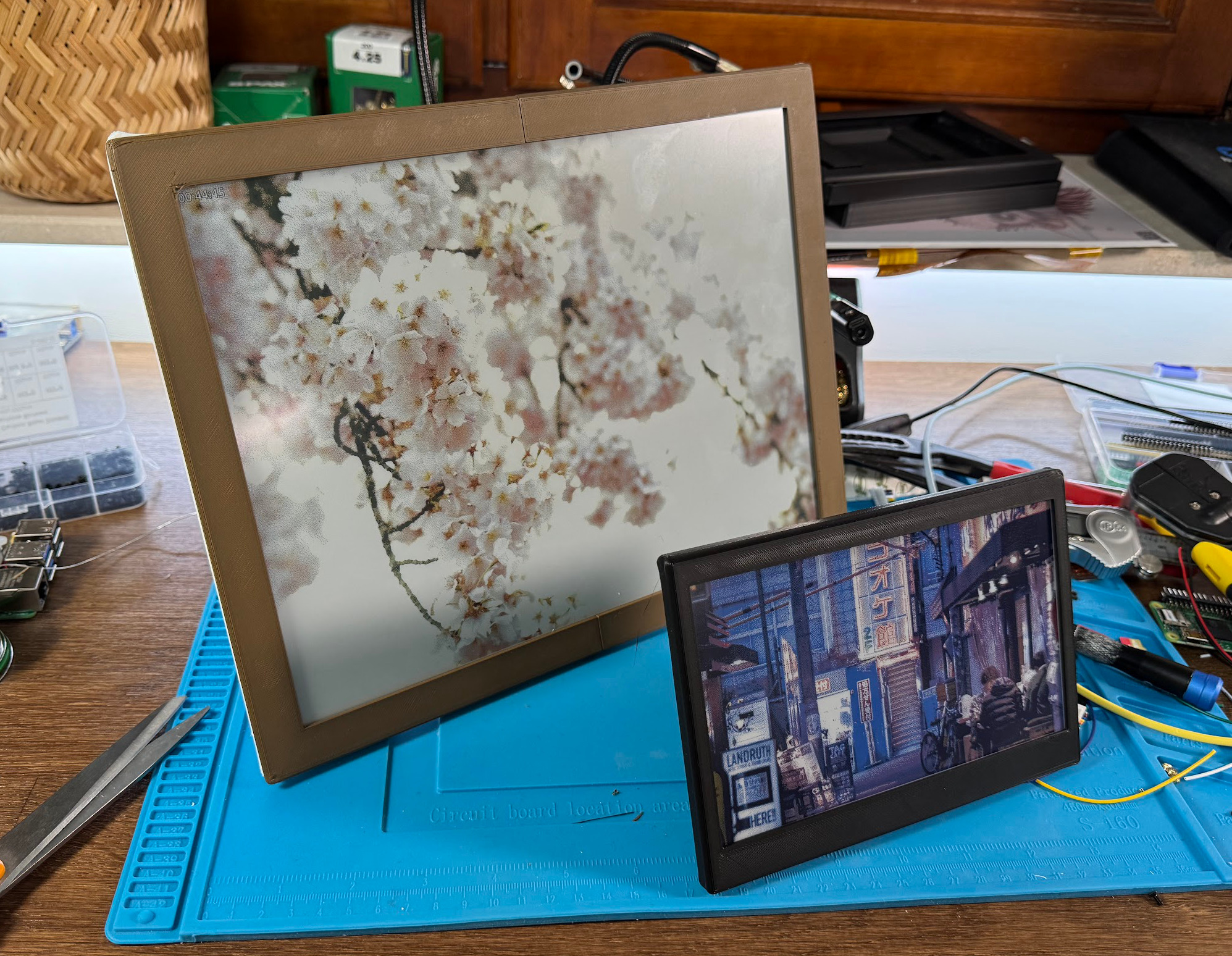
FrameOS turns a Raspberry Pi (or an ESP32) and a display into a single-function smart frame: a kitchen calendar, a hallway dashboard, a daily art frame, a meeting room display, a thermostat - anything that should show one thing, reliably, for years.
It works with screens that update 60 times per second (HDMI, LCD) and with screens that update once every 60 seconds or slower (e-ink). Over a hundred display drivers are built in, covering most Waveshare and Pimoroni e-ink panels, plus anything you can plug into HDMI.
How it works
The frame runs a single compiled binary (written in Nim) on a Raspberry Pi - or as firmware on an ESP32-S3. It renders scenes, drives the display, keeps its own schedule, and serves a small web app + HTTP API so you can view and control it from your phone or any browser. Everything runs on the device: nothing stops working when your internet goes down, and nothing stops working if you turn off whatever manages the frame.
What manages the frame is up to you. There are three ways to run FrameOS, and a frame can move between them without reflashing:
| Best for | What it is | |
|---|---|---|
| A standalone frame | One frame, nothing else | Flash a FrameOS SD image to a Pi, set it up from your phone, manage it from the admin page the frame serves itself. No backend, no account. |
| The self-hosted backend | Tinkerers, many frames, custom Nim | A Docker container (or Home Assistant add-on) on your laptop, server or NAS. Designs scenes, flashes ESP32 boards, deploys over SSH, and can be switched off afterwards. |
| FrameOS Cloud | Nothing to host, frames anywhere | A hosted account at cloud.frameos.net: build an SD image or flash an ESP32 from the browser, then assign scenes from the scene store. Free while in beta. |
The cloud is an option, not a requirement - and a deliberately limited one. It never gets a shell on your frame, never compiles code, and only pushes sandboxed interpreted scenes. The self-hosted backend is the most capable of the three, and the project's promise is that it stays that way.
Pick your hardware
| Best for | Notes | |
|---|---|---|
| Raspberry Pi | Everything | 120+ panels, HDMI and LCD, any font, custom apps in JavaScript or Nim. Zero 2 W upward, Pi 5 for 60 FPS |
| ESP32-S3 | Battery frames, all-in-one boards | Renders scenes on-device, deep-sleeps between refreshes, updates over the air. Waveshare SPI e-paper |
| ESP32-C3 / Pico W | Boards without PSRAM | Thin clients: the backend renders, the device draws. Covers the TRMNL, XTEINK X4 and Pimoroni Inky Frame |
| Virtual frame | No hardware at all | The backend renders to an image URL and a kiosk page - for tablets, browsers and signage players |
With a standalone or cloud-managed Pi you need nothing else. ESP32, Pico and virtual frames are set up from a backend or from FrameOS Cloud (ESP32 only).
Which one should I get?
If you're starting from nothing, get a Raspberry Pi Zero 2 W and an e-ink panel: it's the best-supported combination and nothing is off limits. Choose an ESP32-S3 if you want a frame that runs off a battery, or if you already own one of the all-in-one boards like the Waveshare PhotoPainter, a TRMNL or a Seeed reTerminal.
What you get
- A visual scene editor with ~40 built-in apps - calendars, weather, Home Assistant sensors, photo galleries, Immich and Google Photos, OpenAI text and images, QR codes, charts, SVG - and every one of them forkable down to its source.
- Scenes that run on the device, deployed in seconds without a rebuild, with live state fields you can change from your phone without redeploying at all.
- Images of any size, decoded straight into the panel. A 12-megapixel photo renders on a microcontroller with 8 MB of RAM.
- A control page and HTTP API on every frame, on port 8787, plus a QR code on the display so anyone standing in front of it can take over.
- Prebuilt SD images for the Pi and browser flashing for the ESP32, both preconfigured with your WiFi - from the backend or straight from the cloud.
- A scene store of community scenes with live previews, installable on any frame.
- A photo library on the backend and the cloud: upload albums once, and any frame plays them, shuffled or in order, graded for its panel.
- An AI assistant on the backend and the cloud that answers from live data ("what's on the kitchen frame right now?"), builds scenes and changes frames, plus an MCP server for your own agents - on the backend and the cloud.
- 3D-printable cases generated around your exact panel and board.
Getting started
Pick the path that fits, then deploy a scene:
- Standalone frame: flash a generic FrameOS image, join its
FrameOS-XXXXsetup hotspot from your phone, pick Nothing (standalone), and open the frame's admin page. - Self-hosted: install the backend on your computer or server (not on
the frame's Raspberry Pi) with one command, then
set up the Pi or flash an ESP32:
bash <(curl -fsSL https://frameos.net/install.sh) - Cloud: create an account at cloud.frameos.net and click Add frame; the SD image or ESP32 firmware comes out of your browser already enrolled.
Then deploy your first scene - pick from the built-in gallery and sample scenes or the scene store, then make your own in the scene editor. For a professional finish, 3D print a custom case.
Project status
FrameOS is open source (AGPL-3.0) and under
very active development, with versioned releases on
GitHub and Docker Hub (frameos/frameos). It's
stable enough that frames run for months unattended - but expect the occasional rough edge, and
report it when you find one.
- Join the FrameOS Discord
- Subscribe to the newsletter
- Star us on GitHub